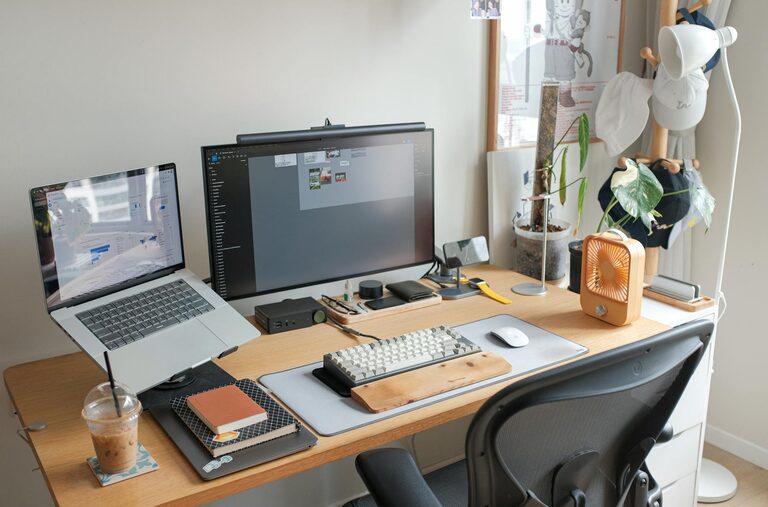
Creating a relaxing yet productive home workspace is essential for maintaining motivation and focus throughout your workday. Whether you work remotely full-time or occasionally bring tasks home, your workspace plays a key role in your comfort and efficiency. In this post, we’ll explore practical tips to help you design a space that supports both relaxation and productivity.
Choose the Right Location
The first step in setting up your home workspace is selecting the best spot.
– Natural light: Position your desk near a window if possible. Natural light reduces eye strain and improves mood.
– Quiet area: Select a place with minimal distractions. A corner in a spare room or a quiet section of the living room works well.
– Dedicated space: Avoid working from your bed or couch. A specific area signals your brain that it’s time to focus.
Invest in Comfortable Furniture
Comfort is key to both relaxation and productivity.
– Ergonomic chair: Choose a chair that supports your back and encourages good posture.
– Adjustable desk: Consider a desk that allows you to alternate between sitting and standing.
– Proper desk height: Ensure your desk height allows your arms to rest comfortably while typing or writing.
Organize to Minimize Clutter
A tidy workspace reduces stress and helps maintain focus.
– Use storage solutions: Shelving, drawers, and baskets keep supplies organized.
– Daily tidying: Spend a few minutes at the end of each day clearing your workspace.
– Limit decorations: Keep personal items and decorations to a minimum to avoid distractions.
Create a Soothing Atmosphere
Your workspace should feel calm and inviting.
– Color choice: Soft, neutral colors promote relaxation, while subtle pops of color can energize you.
– Plants: Adding a few indoor plants improves air quality and adds a touch of nature.
– Lighting: Use adjustable lighting to reduce glare and eye strain. Desk lamps with warm light create a cozy ambiance.
Minimize Noise Distractions
Sound can greatly impact your ability to concentrate.
– Noise-cancelling headphones: Great for blocking out household noises.
– White noise machines or apps: Can provide a consistent, calming background sound.
– Soundproofing: Consider rugs, curtains, or wall panels to reduce echo and outside sounds.
Set Boundaries and Routine
Creating mental boundaries between work and personal life helps maintain balance.
– Regular work hours: Stick to a schedule as much as possible.
– Breaks: Take short, frequent breaks to stretch and refresh.
– Clear start and finish: Establish a ritual for starting and ending your workday (e.g., making a cup of tea or shutting down your computer).
Personalize for Motivation
A workspace that reflects your personality can keep you inspired.
– Inspirational quotes or posters: Add a few motivating visuals.
– Favorite colors or items: Incorporate elements that make you happy or calm.
– Comfort items: A cozy blanket or a favorite mug can make the space more inviting.
Use Technology Wisely
Technology can enhance productivity if used mindfully.
– Declutter your desktop: Keep only essential apps and files visible.
– Use productivity tools: Task managers, calendars, or timers help keep you on track.
– Limit notifications: Turn off non-essential alerts during focused work sessions.
Prioritize Air Quality and Temperature
Comfortable air and temperature levels keep you focused and relaxed.
– Ventilation: Open windows when possible or use air purifiers.
– Temperature control: Use fans, heaters, or humidifiers to maintain a comfortable environment.
Conclusion
Designing a home workspace that is both relaxing and productive doesn’t have to be complicated. By making thoughtful choices about location, furniture, organization, and atmosphere, you can create a space that supports your best work and well-being. Remember, small adjustments over time can lead to significant improvements in how you feel and perform while working from home. Start with a few of these tips today and enjoy a more focused, comfortable work experience tomorrow.